Upload a photo or use camera to apply GPS stamps
See the Before & After Transformation
Instantly add live GPS location, map stamp, latitude, longitude, date, and time overlays to your photos directly in your browser.
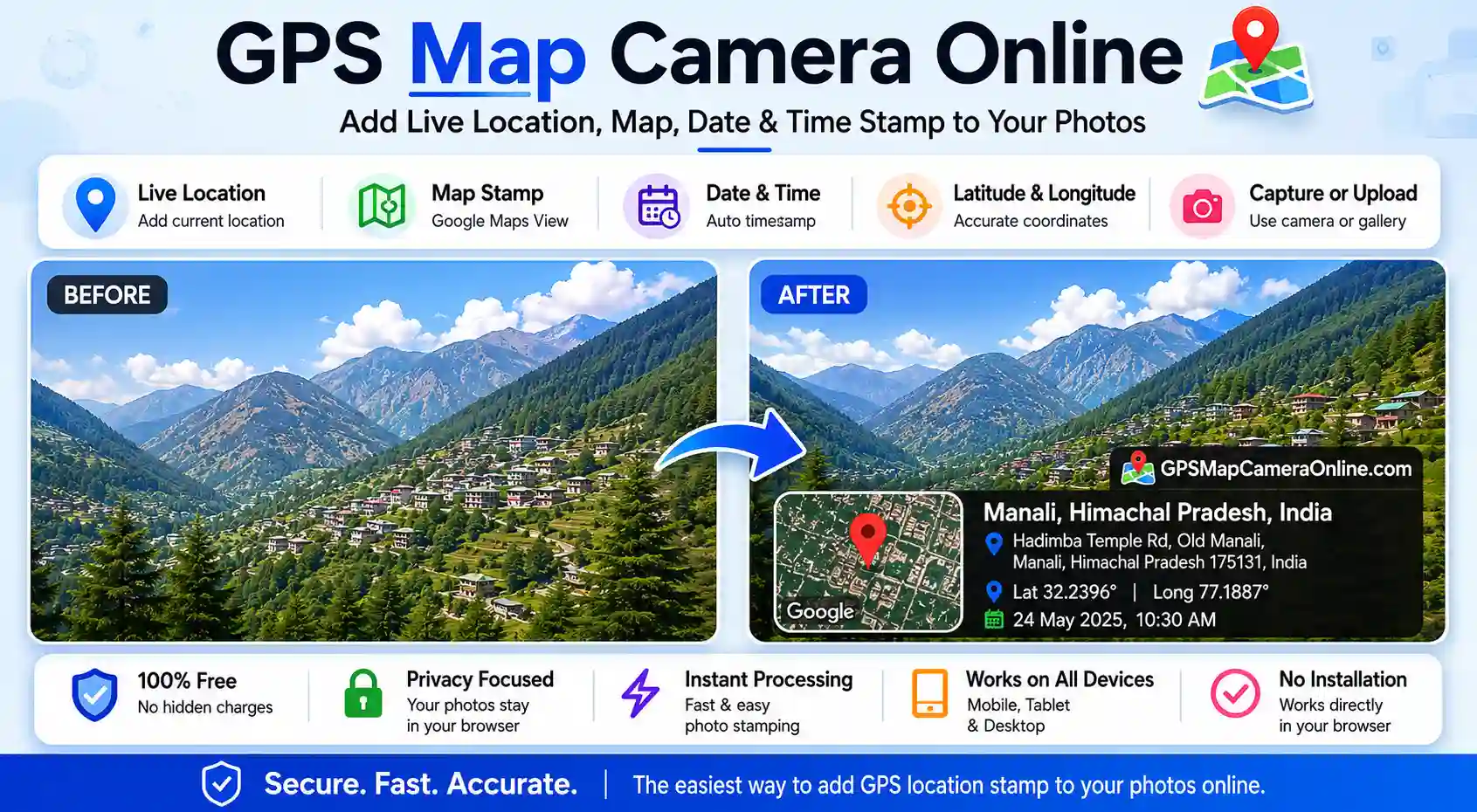
Add GPS location, date, time, and custom map stamps to your photos instantly. No download or installation required — edit photos directly in your browser. 100% private, browser-side processing. This tool is ideal for site inspections, field work, travel proof, and geo-tagged photos.
Upload a photo or use camera to apply GPS stamps
Instantly add live GPS location, map stamp, latitude, longitude, date, and time overlays to your photos directly in your browser.
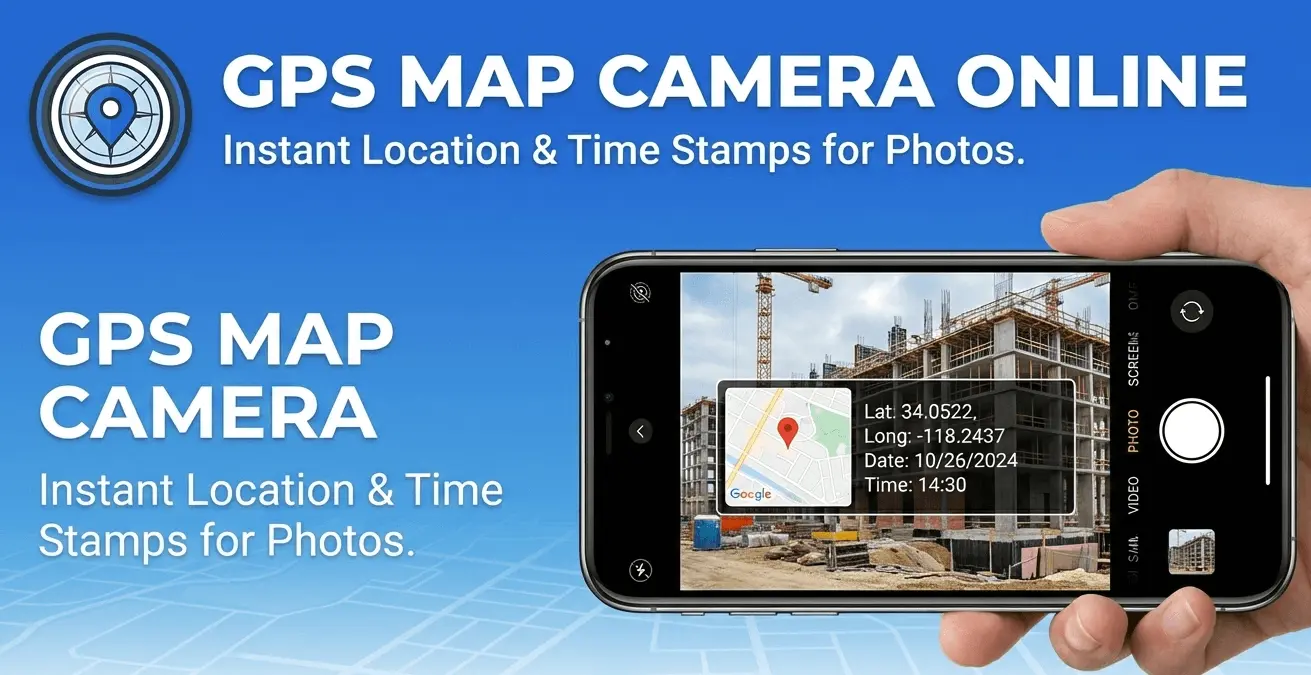
GPS Map Camera Online is a free, browser-based tool that lets you add live GPS location, latitude, longitude, date, time, and a map thumbnail directly onto your photos — no app installation required. It works like a professional GPS camera, but entirely inside your web browser on any device.
Unlike standard phone cameras that only embed GPS data in hidden EXIF metadata (which most people can't see), this tool visually overlays your location and timestamp on the photo itself — making the information visible in the image, just like dedicated GPS camera apps such as GPS Map Camera or Timestamp Camera. The difference is that nothing needs to be downloaded or paid for.
All processing happens locally on your device. Your photos are never uploaded to any server, which makes this tool safe to use for sensitive professional work.
Here is what you can do with GPS Map Camera Online:
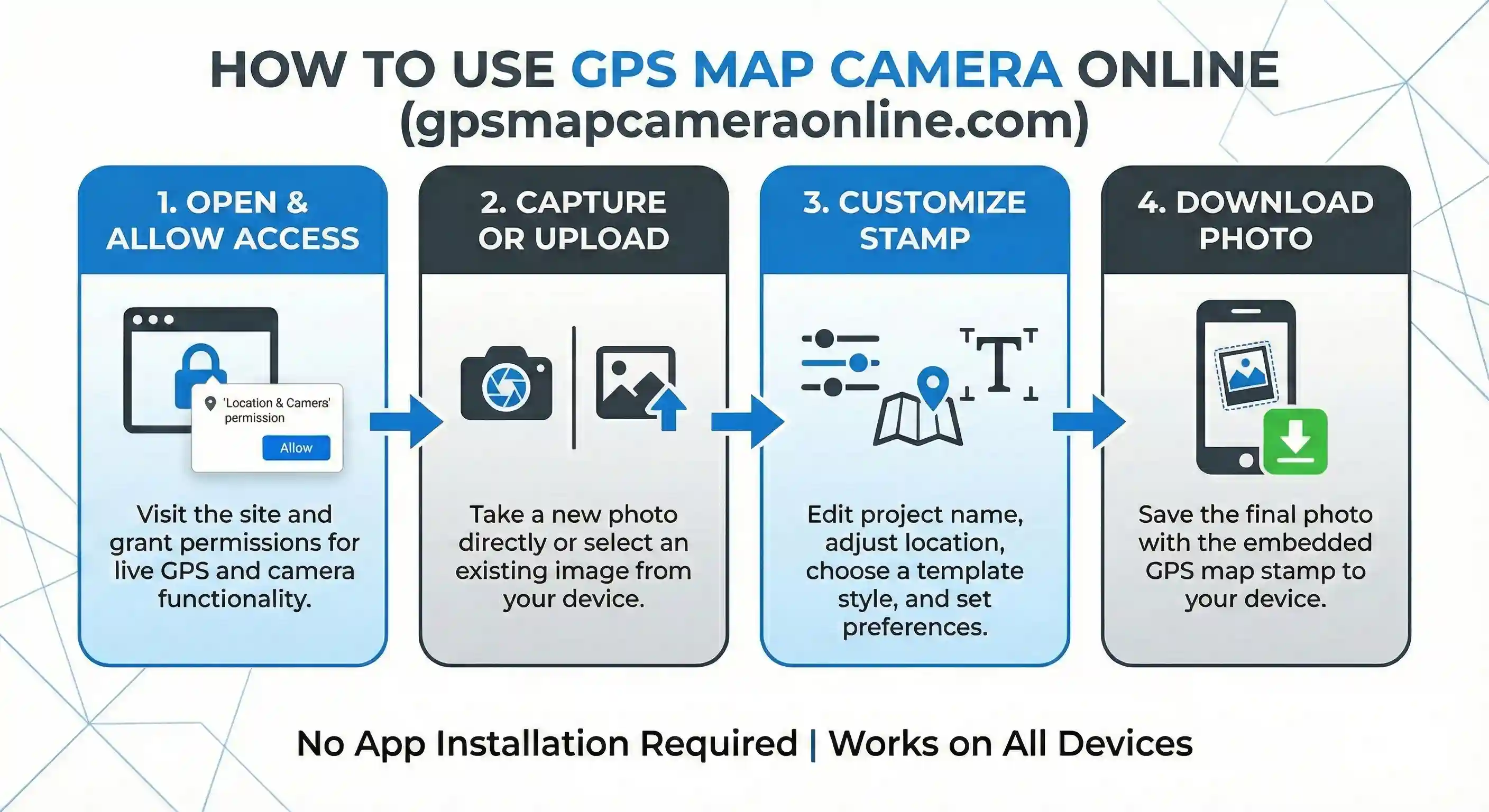
Using the tool takes less than a minute. Here is the full process:
For a more detailed walkthrough, see our guide: How to add GPS location to photos online.
GPS-stamped photos serve as visual proof that something happened at a specific place and time. Here are the most common situations where people use this tool:
Delivery drivers, courier services, and logistics teams use GPS-stamped photos as evidence that a package was delivered to the correct address. A photo showing the parcel at the doorstep with the GPS coordinates, address, and timestamp visible is far more convincing than a plain photograph.
Site engineers and project managers photograph progress at construction sites regularly. Adding GPS data to these images creates a reliable audit trail — each photo is tied to a specific location and date, making it easy to document milestones and share updates with clients or regulators.
Environmental inspectors, agricultural surveyors, and utility technicians all need to document conditions at precise locations. GPS-stamped photos replace manual note-taking and reduce errors in field reports.
Property agents and owners photograph land boundaries, construction status, or damage for insurance and legal purposes. GPS stamps provide coordinates that can be verified on a map, adding credibility to these records.
Travel bloggers and photographers use GPS stamps to create memories with location context. Instead of relying on photo metadata that can be lost when sharing via social media, the location is embedded visually in the image itself.
GPS and timestamp data can support insurance claims or legal disputes by showing where and when an incident occurred. While this tool is not a forensic service, the visible location overlay adds a layer of context that plain photos lack.
Popular GPS camera apps like GPS Map Camera (Android) and Timestamp Camera are excellent tools, but they require installation, take up storage, and sometimes request permissions beyond what is needed. Here is how this browser-based tool compares:
Privacy is a core design principle of this tool. When you use GPS Map Camera Online, your photos are processed entirely inside your browser using the HTML5 Canvas API. No image data is sent to any server at any point.
Your GPS coordinates are requested from your browser's Geolocation API — this is the same standard method used by Google Maps when you search for directions. The coordinates are used only to fetch a map tile for the overlay and to display your address. They are not logged or stored.
The address lookup (reverse geocoding) is performed via OpenStreetMap's Nominatim service, which is an open-source alternative to commercial mapping APIs and does not tie queries to user accounts.
If you have a batch of images from a site visit, inspection route, or delivery run, stamping them individually is time-consuming. Our Bulk GPS Photo Stamper lets you apply the same GPS location, map thumbnail, and timestamp to up to 20 photos simultaneously — then download all of them as a single ZIP file.
Yes, completely free. There is no subscription, no sign-up, and no hidden cost. All features — including live GPS detection, camera capture, custom location search, and all stamp styles — are available at no charge.
No. The tool runs entirely in your browser. You can access it on Chrome, Safari, Firefox, or Edge on any device without installing anything. If you prefer, we also offer optional Chrome and Firefox extensions for quicker access.
Yes. The tool is fully responsive and works on iOS Safari and Android Chrome. GPS location detection, camera capture, and photo download all work on mobile browsers. For the best camera quality on mobile, you may want to take the photo with your native camera app first, then upload it here.
Accuracy depends on your device and environment. GPS is most accurate outdoors with a clear view of the sky — typically within 3–10 meters. Indoors or in dense urban areas, accuracy may be lower. If the auto-detected location is not precise enough, you can drag the map pin or search for the exact location manually.
No. Your photos never leave your device. All processing is done locally in your browser using the Canvas API. We do not have access to your images at any point.
Yes. You can type any address or place name into the search box, and the map will update accordingly. You can also drag the pin on the map to any position, or type coordinates directly into the latitude and longitude fields.
Yes. The timestamp field is fully editable. Click on it and type any date and time you want displayed on the photo. This is useful when you are stamping a photo that was taken earlier and want the stamp to reflect the original capture time.
You can upload JPEG, PNG, WebP, and most other common image formats. The downloaded stamped photo is saved as a PNG by default, or as a JPEG if you enable the compression option.
The main tool on this page is optimized for quick, single-photo stamping with live GPS capture. The GPS Map Camera Editor offers more advanced controls — including fine-tuning stamp size, position, and individual display elements. If you need more customization, start with the Editor.
GPS Map Camera Online was built to solve a real frustration — mobile GPS camera apps that were slow, invasive with permissions, and uploaded your photos to the cloud. The goal was a tool that is instant, fully private, and works on any device without installation.
The platform has grown to include 7 tools (GPS stamping, bulk stamping, photo editor, EXIF viewer, EXIF editor, EXIF remover, and photo location finder) alongside an active blog covering GPS photography, field documentation, and geotagging workflows. All image processing uses open-source technology — HTML5 Canvas, Leaflet.js, and OpenStreetMap — with no proprietary cloud dependencies.
Learn more on our About Us page, or get in touch if you have feedback or a feature request.

Priyanshu built GPS Map Camera Online after running into privacy issues and slow performance with traditional mobile GPS camera apps. He specialises in browser-based tools for field documentation and photo geotagging — keeping everything fast, private, and free.
View all posts →